


Student attendance system: Know who’s at school before the first lesson
Student Register uses gate scans to fill each class register. Your office can see who is absent and call their guardian. Staff attendance and payroll are in the same account.
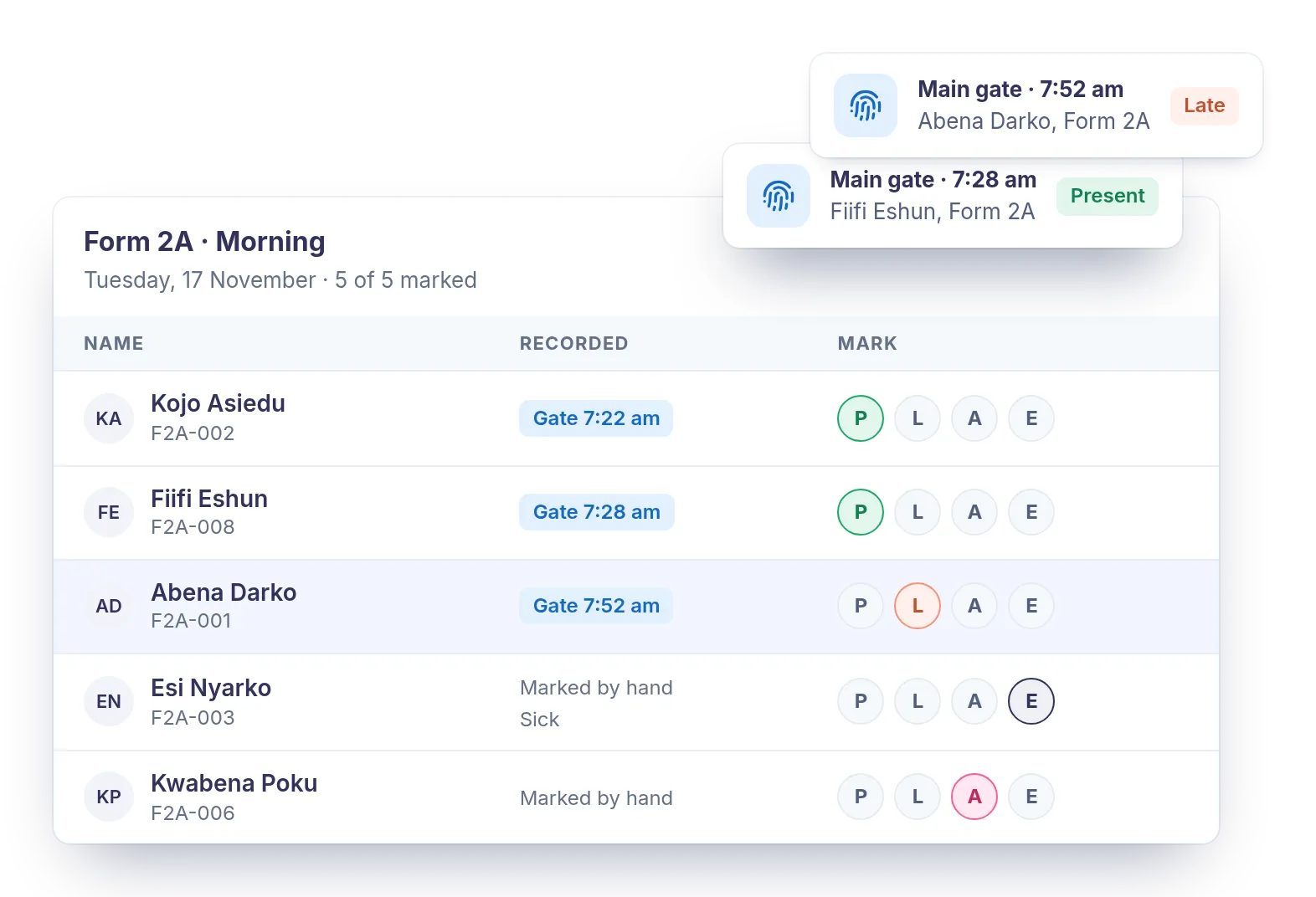
By half past eight, the office knows who to call
Here’s a Tuesday in Form 2A. A reader at the gate fills most of the register, then teachers mark the students who didn’t scan.
-
7:22 am
Kojo is on the register as he comes through the gate
Abena arrives after the school’s 7:45 late time, so her register shows she came in late.
-
8:00 am
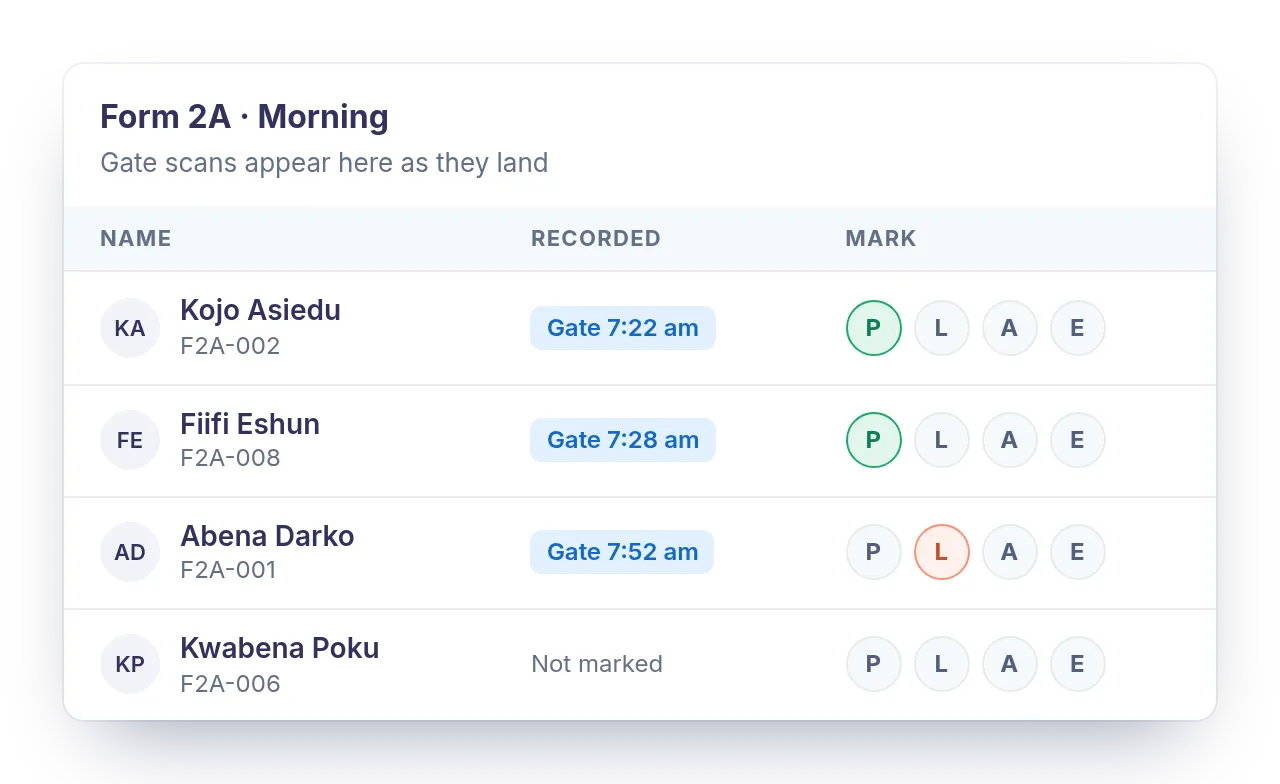
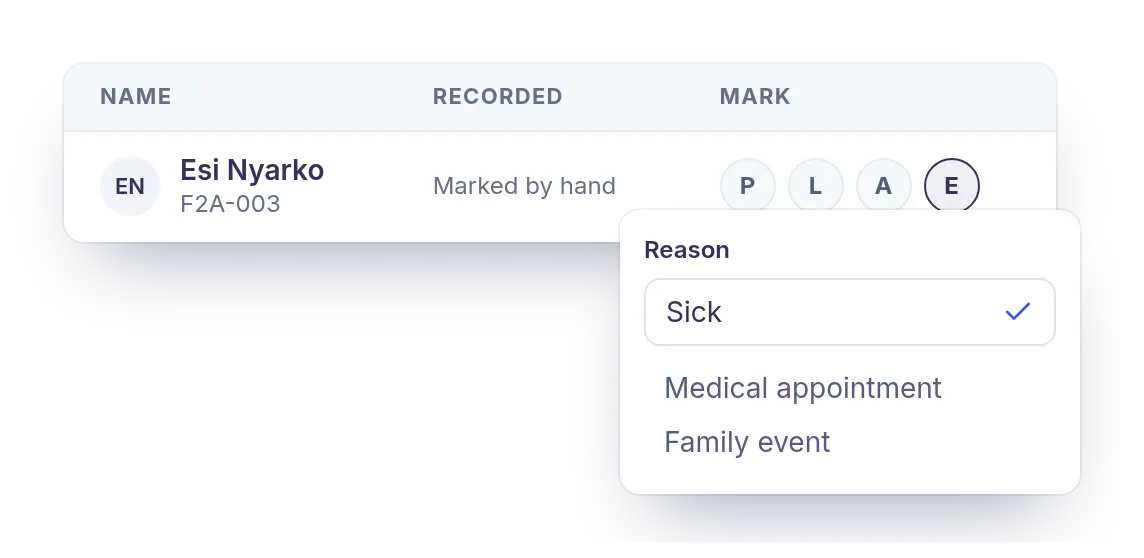
Teachers mark the students the gate missed
Esi is sick, so her teacher marks her excused and records the reason. The teacher’s mark takes precedence over the gate scan.
-
8:30 am
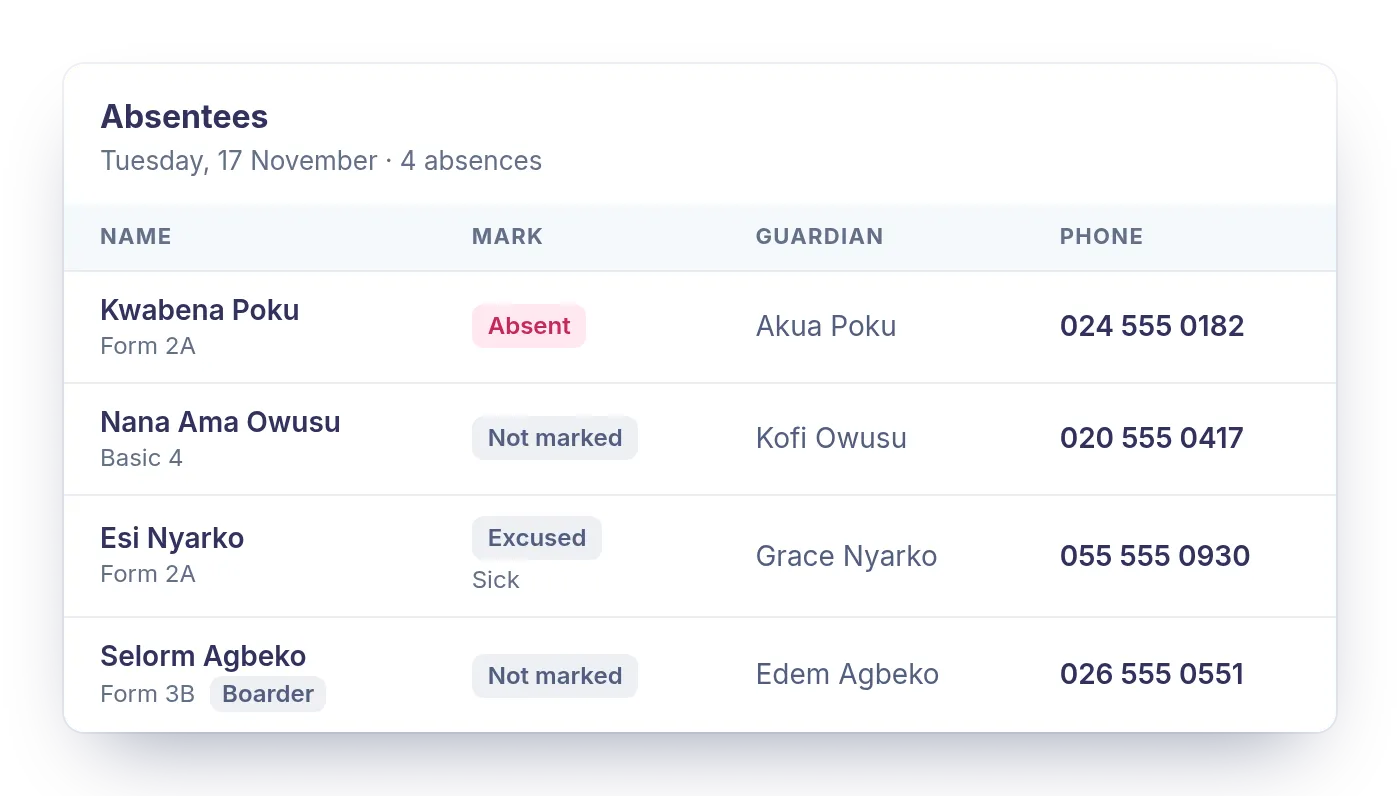
The office has its absence list
Each absent student appears with a guardian’s name and number, ready for a call.
-
10:15 am
Answer a parent’s attendance question
When Kojo’s mother calls, the office can check the register and confirm he arrived at 7:22.
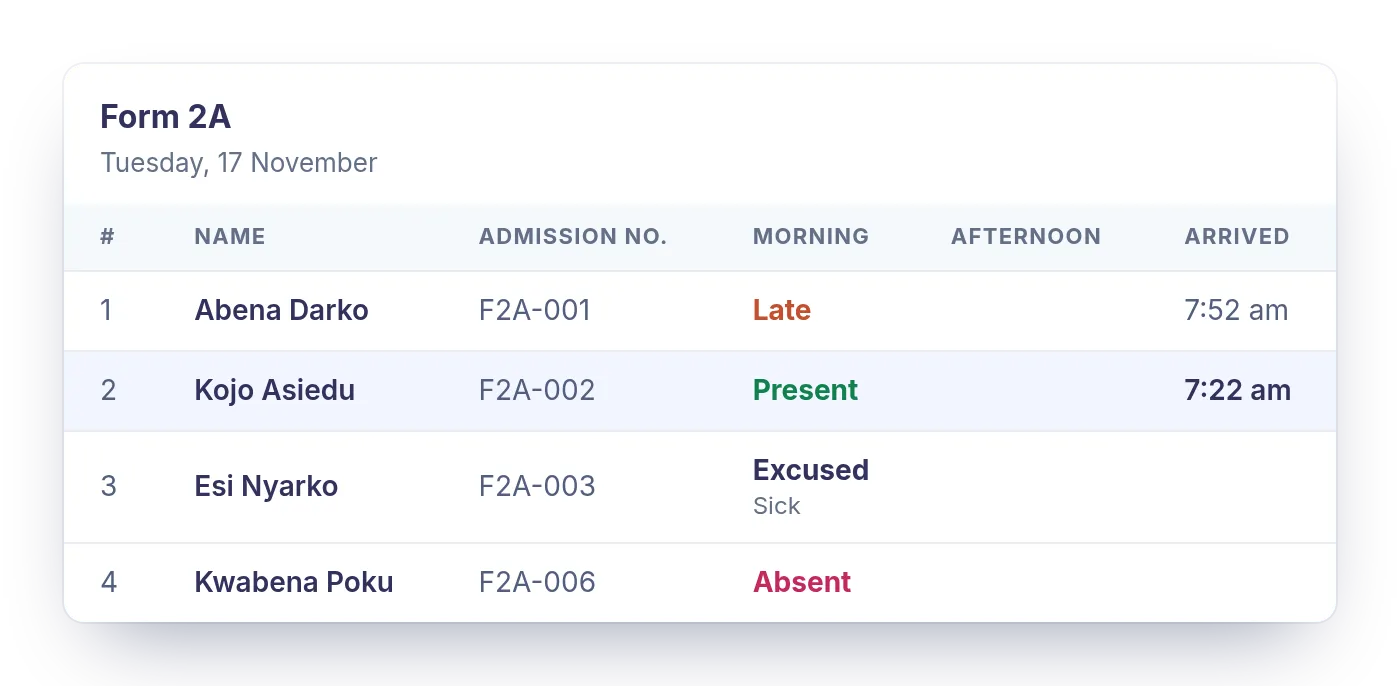
Want to see a morning like this at your school?
Book a school demoAttendance ready when report cards are due
By report-card time, each student’s attendance is counted out of the times your school opened. Add the figure to their report card. The record stays online if a paper register is lost or damaged.
- Print any class’s register for a day, ready for the head to sign or an inspector to check
- Export a term’s figures to Excel or PDF
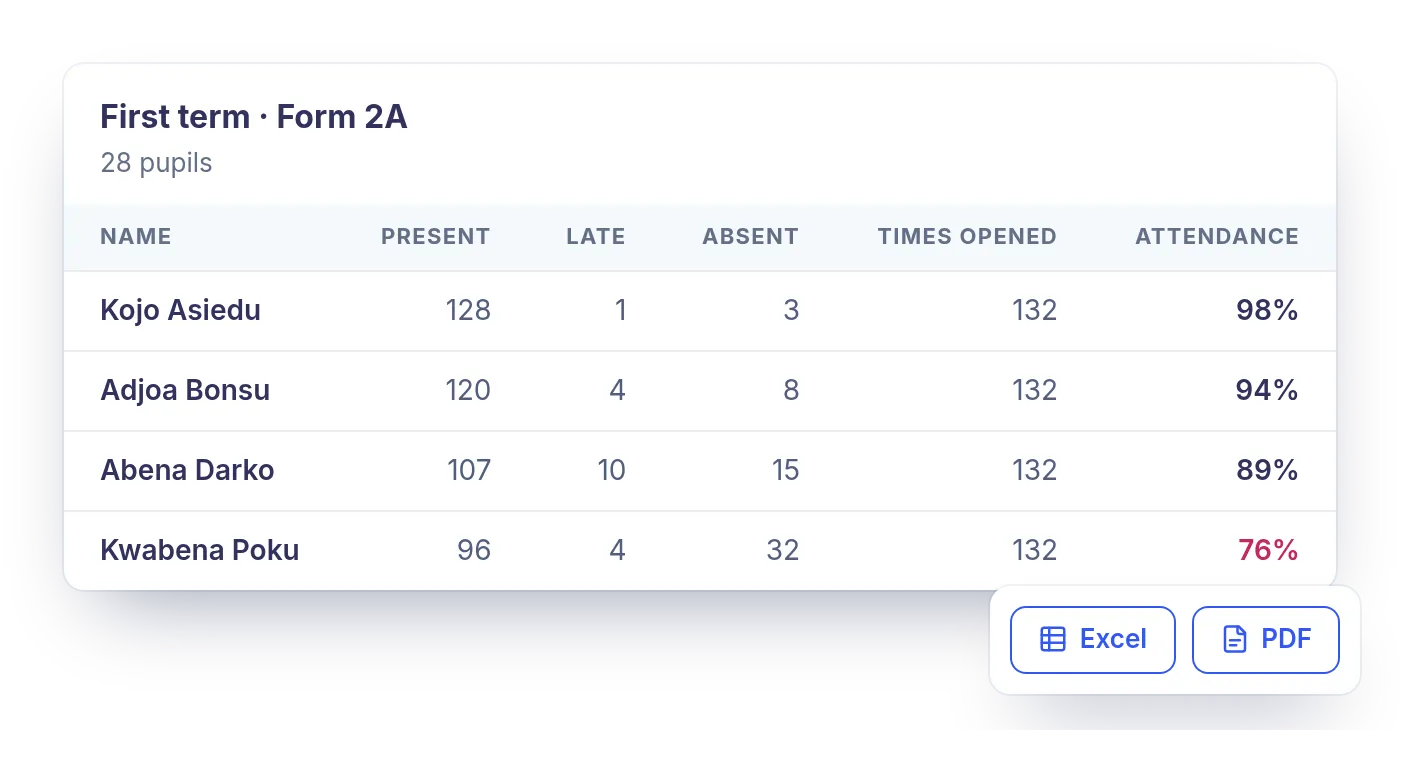
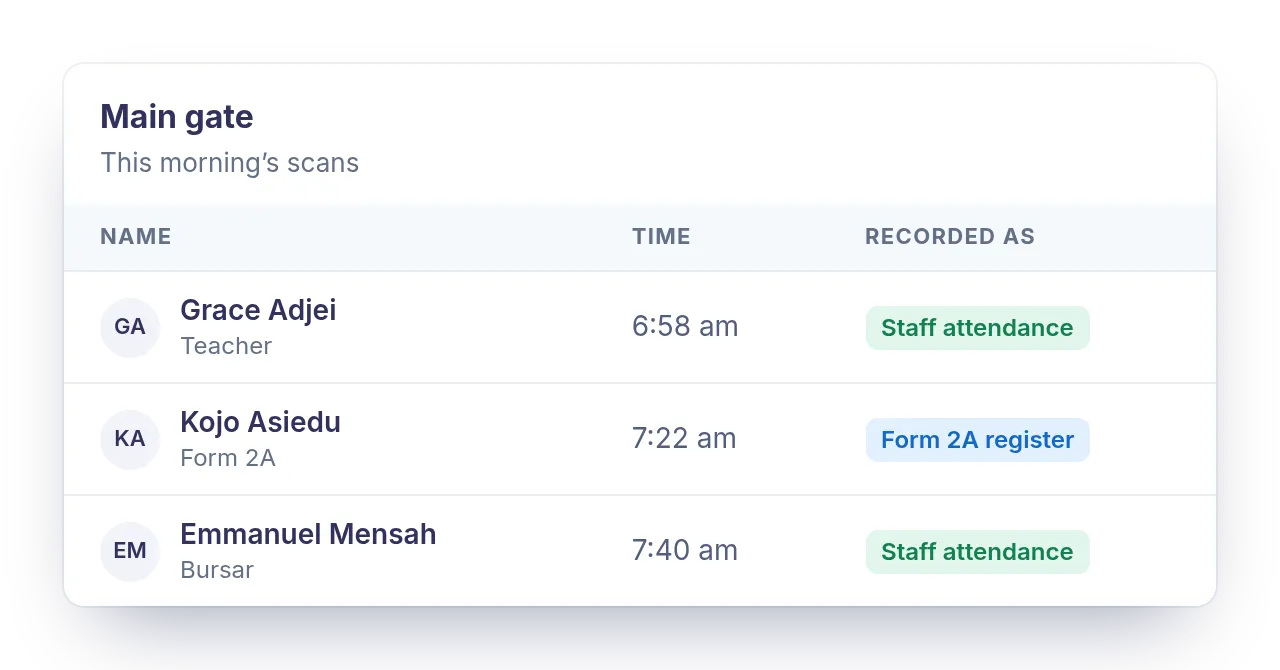
One gate reader records staff and student attendance
Teachers and support staff scan in on the same reader as students. Their recorded arrival time comes from each gate scan, and the system flags anyone who arrives after their start time.
- See staff and student attendance in one account
- Run staff payroll with PAYE and SSNIT in Ghana, or PAYE and pension in Nigeria
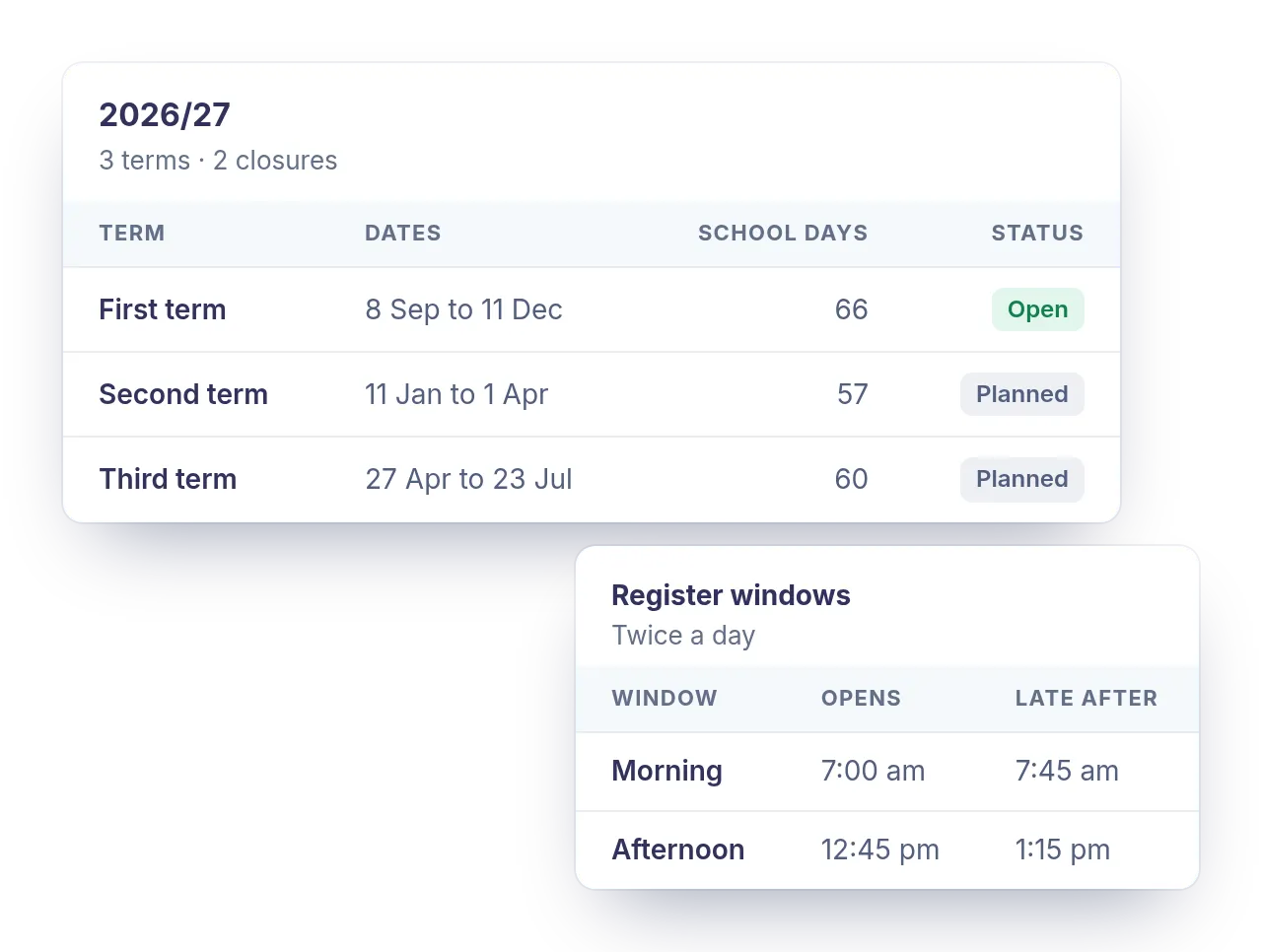
Set up Student Register around your school’s classes and terms
Keep your class names, terms and register times as they are.
-
Set term dates and register times
Add holidays too, so days the school is closed aren’t counted as absences. Choose a morning register, an afternoon register, or both.
-
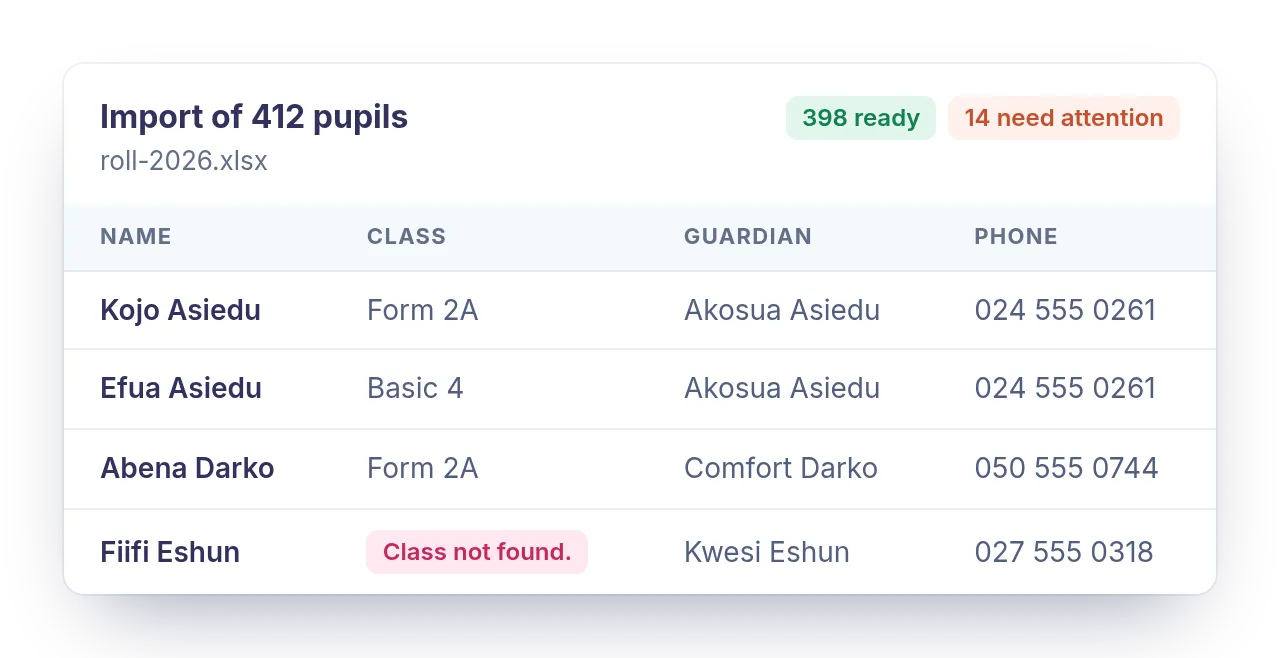
Bring in your class lists
Use the class list you already keep, including each student’s guardian details. Their contacts will be ready when the office follows up an absence.
-
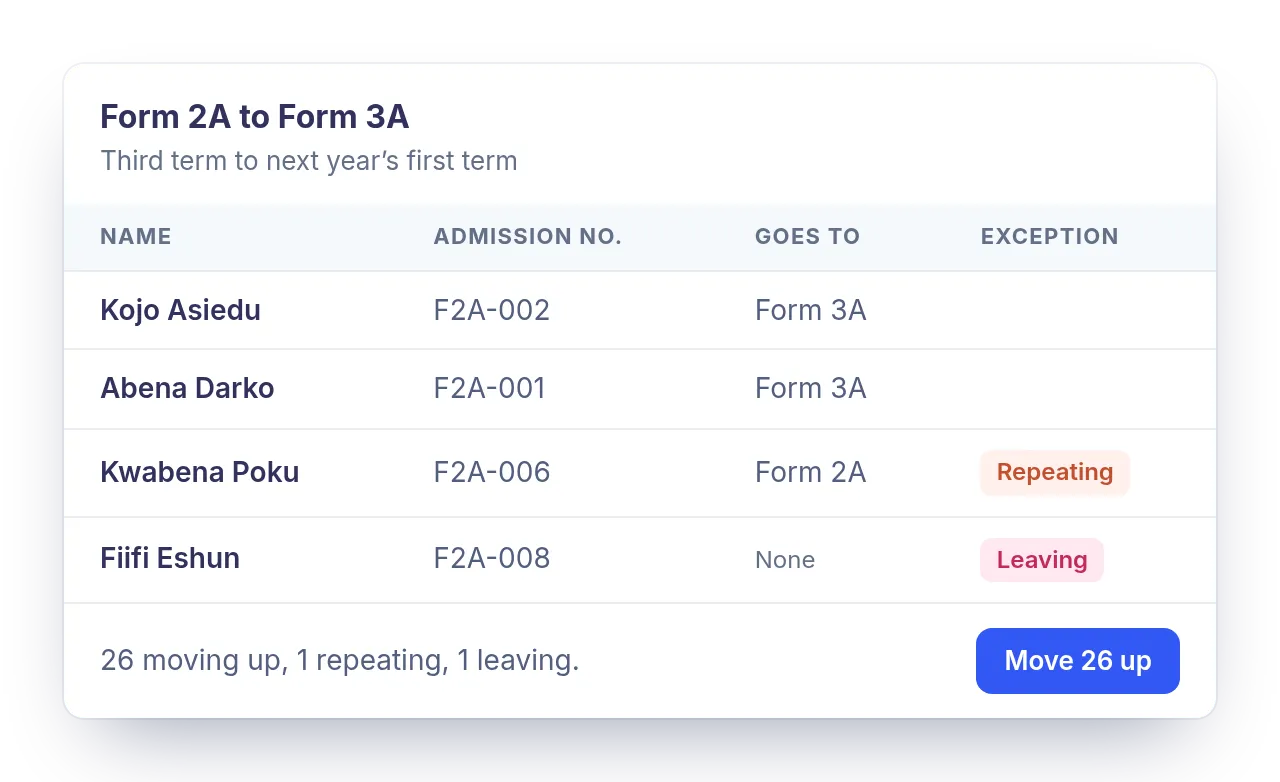
Get next year’s classes ready
Promote each class to its next form, then mark students who are repeating or leaving.
Keep using your current systems for fees and grades
Eban Register records attendance for students and staff and runs staff payroll. Keep admissions, fees, timetables and report cards in your existing software or ledgers.
Student attendance questions
Which biometric readers can we use?
Can we start without a reader at the gate?
Which schools is Student Register built for?
Can we set which days a student is expected at school?
Does Student Register work for boarding schools?
How do teachers mark the register?
See how Student Register would work at your school
We’ll walk through your attendance routine, from the class register and absence follow-up to term totals.